
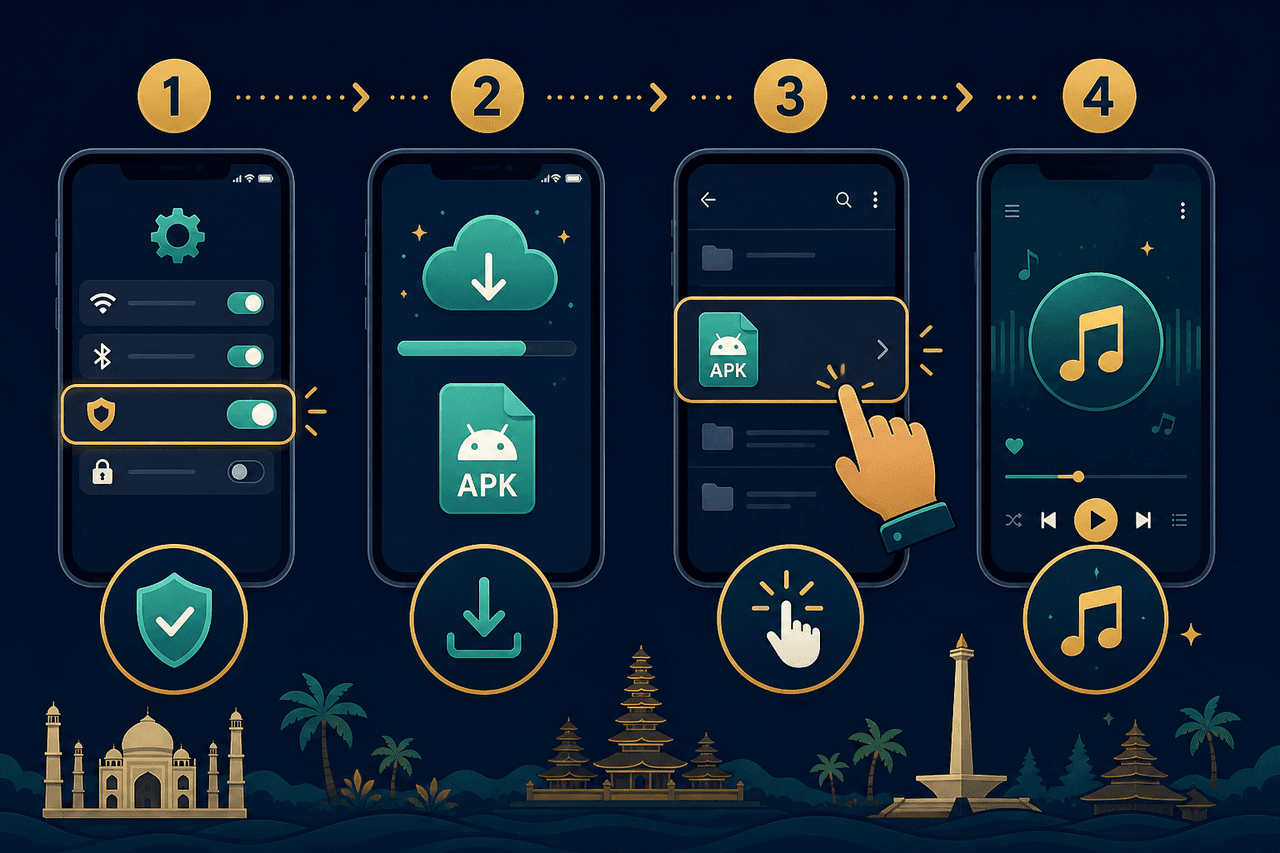
The same four steps on every brand
- Open the download page and save the APK.
- Allow your browser or Files app to install unknown apps.
- Tap the APK. Confirm install.
- Open YMusic, search a song, lock the screen, and check that audio continues.
Samsung
Settings → Security and privacy → Install unknown apps → Chrome (or My Files) → Allow. If Play Protect shows a warning, you can scan first. Only continue if you trust the file.
Xiaomi, Redmi, Poco
Settings → Privacy protection → Special permissions → Install unknown apps. Allow the app that downloaded the file. After YMusic is installed, go to Battery and set No restrictions. MIUI likes to freeze music apps.
Oppo, Realme, Vivo
Look for Install unknown apps inside Security. If the Install button stays grey, open Files → Downloads and tap the APK from there. Give notification permission so lock-screen controls appear.
If install is blocked
- The file did not finish downloading. Try Wi-Fi and download again.
- Not enough storage. Delete unused apps or photos first.
- An older YMusic copy conflicts. Uninstall it, then install the new APK.
Bahasa Indonesia — ringkas
Unduh APK, izinkan “sumber tidak dikenal”, ketuk file, lalu buka aplikasi. Matikan batasan baterai agar musik tidak berhenti saat layar terkunci. Jangan pasang file MOD dari grup chat.